
Posted At: Jun 12, 2026 - 2,238 Views

Smart glasses have evolved from futuristic concept to practical wearable technology, and WiFi connectivity sits at the heart of their functionality. Whether you are evaluating smart glasses for your product catalog or exploring OEM manufacturing partnerships, understanding how these devices connect to wireless networks is essential for making informed business decisions.
The wireless ecosystem within smart eyewear encompasses several connection protocols, with WiFi serving as the primary pathway for data-intensive operations like firmware updates, streaming content, and cloud synchronization. This guide breaks down everything you need to know about connecting smart glasses to WiFi networks, from basic setup procedures to advanced troubleshooting techniques.
Understanding Smart Glasses Connectivity Architecture
Before diving into the connection process, B2B buyers should grasp the underlying technology that enables wireless functionality in smart eyewear. Modern smart glasses typically incorporate multiple wireless protocols working in tandem. Bluetooth handles proximity connections with smartphones, while WiFi manages high-bandwidth data transfers with cloud services and local networks.
Most smart glasses utilize dual-band WiFi adapters supporting both 2.4GHz and 5GHz frequencies. The 2.4GHz band offers broader coverage and better penetration through walls, making it ideal for general use cases. The 5GHz band provides faster data rates with less interference, perfect for streaming applications and real-time video processing.
Initial Setup: Preparing Your Smart Glasses for WiFi Connection
The first step involves ensuring your smart glasses are properly charged and powered on. Most smart eyewear devices enter pairing mode automatically during initial setup, but the specific procedure varies by manufacturer. Your smart glasses should display connection status through LED indicators or companion app notifications.
For glasses that require manual activation, the process typically involves holding a dedicated power or connectivity button for several seconds until the indicator light signals pairing mode. Some models use voice commands to initiate the connection process, responding to phrases like "connect to WiFi" or "open network settings."
Step-by-Step WiFi Connection Process
The connection methodology depends largely on whether your smart glasses feature an integrated touchscreen interface, companion smartphone application, or physical button controls. Below is a comprehensive breakdown covering the most common scenarios encountered in current smart eyewear products.
Method One: Direct Interface Connection
Smart glasses equipped with built-in display systems often include settings menus accessible through touch gestures or voice commands. Navigate to the settings icon, select "Network" or "Connections," then choose "WiFi." Your device will scan for available networks within range.
Select your desired network from the list of detected connections. You will be prompted to enter the network password using the on-screen keyboard, voice input, or paired smartphone keyboard, depending on your device capabilities. After entering credentials, confirm the connection and wait for the establishment confirmation.
Method Two: Companion App Configuration
Many smart glasses manufacturers rely on smartphone applications to handle network configuration. Download the designated companion app from your device's app store, ensuring you install the correct version compatible with your glasses model. Pair the glasses with your phone via Bluetooth before attempting WiFi configuration.
Within the companion app, locate the network settings section. The app will guide you through network selection and credential entry, then transfer the WiFi configuration to your glasses over the Bluetooth connection. This method proves particularly useful for glasses lacking traditional input mechanisms.
Method Three: Factory Configuration for Enterprise Deployments
B2B buyers sourcing smart glasses for enterprise deployments often require pre-configured network settings before distribution. OEM manufacturers typically accommodate this need through custom provisioning services. Network credentials, security protocols, and enterprise authentication settings can be pre-loaded during manufacturing.
This approach eliminates the need for end-users to manually configure network settings, streamlining deployment across large organizations. Discuss pre-configuration options with your manufacturing partner to ensure seamless rollout of your smart glasses product line.
Advanced Network Configurations for Business Applications
Beyond basic home or office WiFi connections, B2B applications frequently demand more sophisticated network configurations. Enterprise environments often implement WPA2-Enterprise authentication with RADIUS servers, certificate-based security, or captive portal authentication for guest networks.
Smart glasses designed for business use cases typically support these advanced protocols. When evaluating smart glasses for corporate deployment, verify that the target devices support your organization's specific network security requirements. Enterprise-grade smart eyewear should be compatible with common authentication methods including PEAP, TTLS, and TLS certificates.
Optimizing WiFi Performance for Smart Glasses
Signal strength significantly impacts the user experience with WiFi-connected smart glasses. Positioning your wireless router closer to primary usage areas reduces latency and improves connection stability. Avoid physical barriers like concrete walls and metal surfaces that attenuate WiFi signals.
Network congestion from multiple connected devices can degrade performance. Prioritize your smart glasses connection through Quality of Service (QoS) settings on your router, or dedicate a separate network exclusively to your smart eyewear and other IoT devices. Many modern routers support guest networks specifically designed for this purpose.
Security Considerations for WiFi Connectivity
Protecting your smart glasses network traffic should be a priority for both personal and enterprise users. Always connect to password-protected networks with modern encryption protocols. WPA3 offers the strongest current protection, though WPA2 remains widely supported across smart glasses devices.
Public WiFi networks present significant security risks and should generally be avoided for smart glasses usage. If public connectivity is necessary, consider using a VPN application to encrypt your data traffic. Some enterprise-grade smart glasses incorporate built-in VPN support for secure remote connectivity.
Troubleshooting Common WiFi Connection Issues
Connection failures rank among the most frequently reported issues with smart glasses. When experiencing connection problems, begin with fundamental checks. Verify that the network is functioning by testing connectivity with another device. Confirm that the entered password matches the actual network credentials, paying attention to case sensitivity.
Restart both your smart glasses and wireless router to clear temporary glitches. For persistent issues, check whether your glasses have firmware updates available. Manufacturers frequently release updates addressing connectivity bugs and improving wireless performance. Reset network settings on your glasses and reinitiate the pairing process if other troubleshooting steps prove unsuccessful.
Intermittent Connection Problems
Dropping connections suggest potential interference or signal strength issues. Move closer to your wireless router and observe whether stability improves. If the problem occurs only in specific locations, environmental factors likely contribute to the issue. Updating router firmware and adjusting channel selection can reduce interference from neighboring networks.
Authentication Failures
Repeated authentication failures may indicate incompatible security protocols. Verify that your router uses a supported encryption method. Some older smart glasses devices do not support WPA3, requiring router configuration changes to enable WPA2 compatibility. Enterprise authentication issues often require IT administrator involvement to resolve certificate or server connectivity problems.
WiFi Direct and Local Network Features
Beyond traditional infrastructure mode connections, many smart glasses support WiFi Direct for peer-to-peer connectivity. This technology enables direct communication between your glasses and other devices without requiring a wireless access point. WiFi Direct proves useful for quick file transfers, local streaming, and device-to-device synchronization.
Local network features allow smart glasses to discover and interact with other devices on your network, including smart home systems, media servers, and computing workstations. These capabilities expand use cases beyond standalone operation, integrating smart eyewear into broader technology ecosystems.
Impact of WiFi Connectivity on Smart Glasses Market Trends
The evolution of WiFi standards directly influences smart glasses capabilities and market positioning. The transition from WiFi 4 to WiFi 6 and WiFi 6E brings improvements in throughput, latency, and power efficiency that benefit battery-powered wearable devices. B2B buyers should consider future-proofing their product selections by prioritizing devices supporting current WiFi standards.
Emerging WiFi 7 specifications promise further advancements including lower latency and improved handling of dense device environments. As these standards mature, expect smart glasses manufacturers to incorporate next-generation wireless capabilities into their product roadmaps.
Choosing the Right Smart Glasses for Your Connectivity Needs
When evaluating smart glasses for resale or distribution, connectivity capabilities deserve careful attention alongside other specifications. Consider the typical use cases your end customers will encounter. Users primarily operating in mobile environments may prioritize devices with excellent cellular integration, while stationary use cases demand robust WiFi performance.
Evaluate the companion ecosystem and software support for network features. Strong developer documentation and regular firmware updates indicate a manufacturer committed to maintaining connectivity features over time. Poor software support can result in connectivity bugs remaining unresolved and devices becoming insecure over time.
Future-Proofing Your Smart Glasses Product Line
WiFi connectivity standards continue advancing, and B2B buyers should plan for future requirements when selecting smart glasses for their catalog. Support for emerging standards like WiFi 7 provides longevity and ensures compatibility with next-generation network infrastructure. Modular designs allowing component upgrades offer another pathway to future-proofing investments.
Cloud dependency varies significantly across smart glasses platforms. Some devices require constant network connectivity for core functionality, while others operate independently with local processing capabilities. Understanding these architectural differences helps B2B buyers match products to appropriate market segments and customer requirements.
Partner with Experienced Smart Glasses Manufacturers
For brands seeking custom smart glasses solutions, partnering with an experienced OEM/ODM manufacturer ensures your connectivity requirements are met from design through production. Look for manufacturers with demonstrated expertise in wireless integration, regulatory compliance across target markets, and scalable manufacturing capabilities.
Request detailed technical specifications for wireless subsystems during vendor evaluation. Verify that proposed designs support the WiFi standards and security protocols required by your target markets. Comprehensive testing protocols should validate connectivity performance across diverse network environments and interference scenarios.
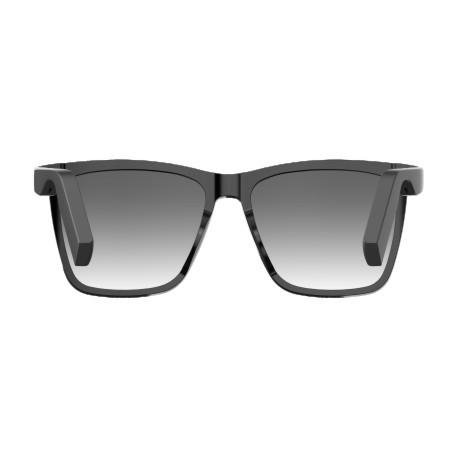
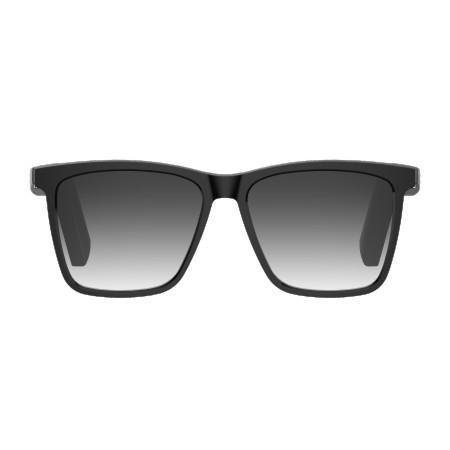
Ready to explore smart glasses options with industry-leading WiFi connectivity? Browse our smart audio black sunglasses featuring advanced wireless capabilities, or discover our technology fashion music glasses combining connectivity with style. Our team supports B2B partners with competitive OEM pricing and flexible minimum order quantities tailored to your business needs.
